Canvas
Direct the shot.
Don't generate it.
A node graph for the shoot. Your person, your product and your camera move go in at one end; a finished take comes out the other, and every step in between is a card you can see and change.
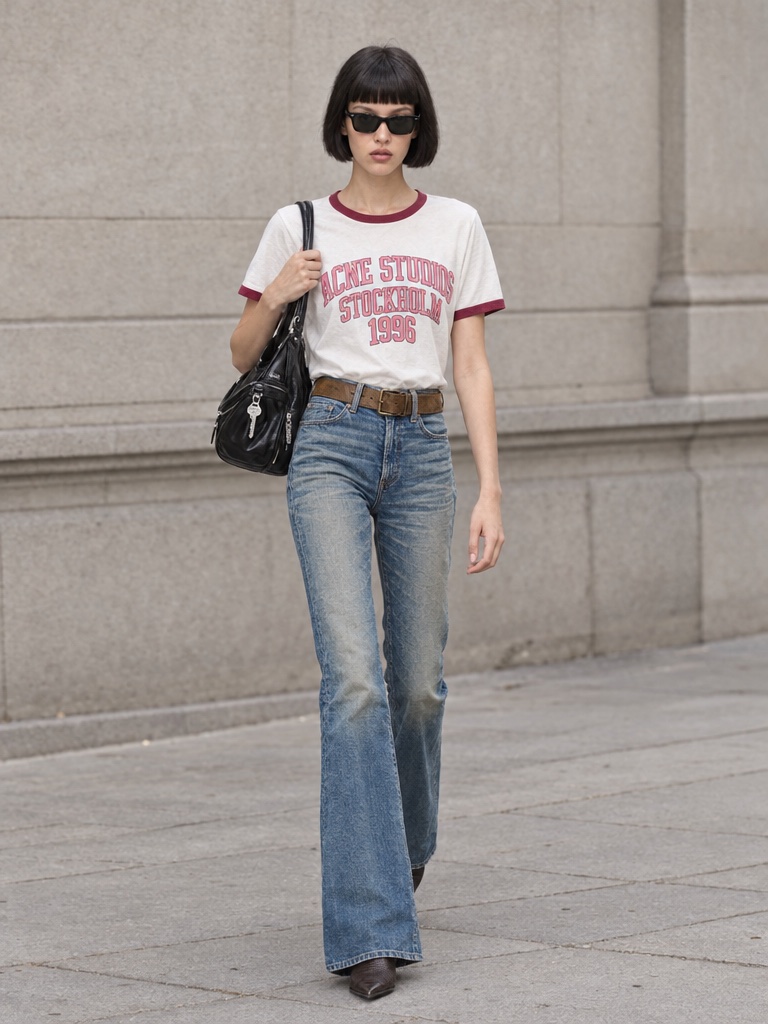
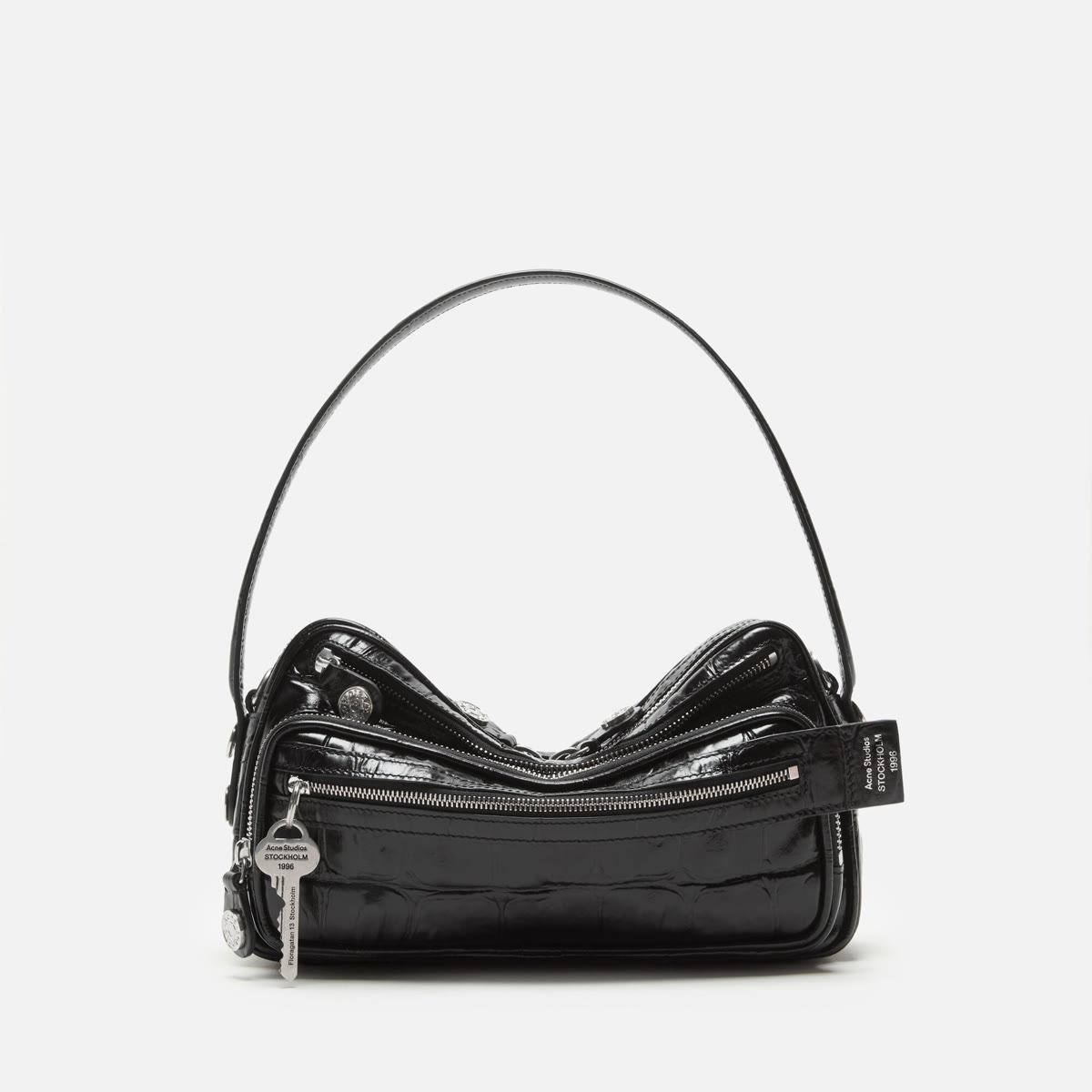
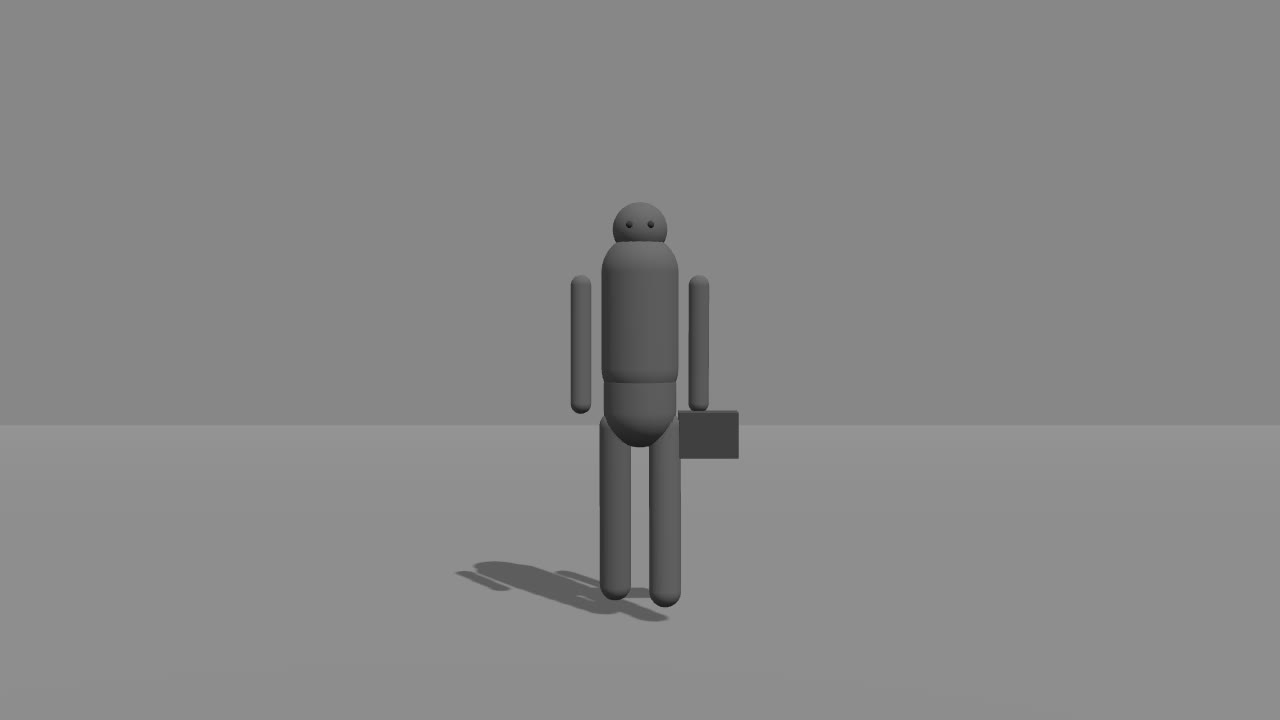
- 01 Inputs
- 02 Cutout
- 03 The brief
- 04 The take
- 05 Finish
Three imports. A person, a product, a camera move.
01 / The idea
A board,
not a prompt box.
A prompt box takes a sentence and hands back a guess. A board takes the shoot apart: what goes in, which model reads it, what it hands to the next card. You see every step, and you change the one that is wrong.
Cards, not sentences.
An import, a prompt, a Describe step, an image model, a video model, a finishing pass. Each one shows what it takes and what it gives.
Wires carry the work.
The cutout goes to the video card as its first reference, the product as its second, the camera clip as the move. Wire order is the order the model counts them.
One run, one quote.
The whole board is priced before it spends. Change the duration or the resolution and the quote changes with it, on the server, never after the fact.
02 / The graph
Nine cards.
One take.
The board in the hero, card by card: what each one takes, what it gives. The numbered cards are the slots you fill in; the rest are already written.
Import
Your person
- Takes
- A full-body photo of the person, carrying what they will carry.
- Gives
- The face, the outfit and the bag the rest of the board holds on to.
Import
Your product
- Takes
- A packshot of the product, on any background.
- Gives
- The second reference the video reads, so the logo and the shape stay exact.
Import
Your camera move
- Takes
- A rough clip of the camera move: a grey figure on a grey floor, no detail.
- Gives
- The camera path, the timing and the cut rhythm. Nothing else is copied.
Prompt
Cutout brief
- Takes
- Nothing. The cutout instruction is already written.
- Gives
- The instruction the image model follows: the same person, a white studio, nothing else changed.
Image
Nano Banana Pro
- Takes
- The brief and the photo of the person.
- Gives
- The person on plain white, full body, with a soft shadow.
Describe
The look
- Takes
- The photo of the person.
- Gives
- One paragraph on the look: hair, glasses, each garment, what they carry.
Prompt
The take
- Takes
- The look, dropped into its Subject line.
- Gives
- The full direction for the take: scene, subject, action, camera, style, and what to avoid.
Video
Seedance 2.5 Reference
- Takes
- The prompt, the cutout, the product and the camera clip, in that order.
- Gives
- A ten-second take at 720p: the person walks to camera with the product, the camera moving as previsualised.
Smooth motion
60 fps
- Takes
- The take.
- Gives
- The same take at sixty frames a second, ready to deliver.
03 / What you bring, what you get
Three files in.
A take out.
Nothing on the board asks for a prompt you have to invent. The person, the product and the move are yours; the words are already written.
01 / You bring
A person
One full-body photo, carrying what they will carry. The face, the outfit and the bag hold from here.
02 / You bring
A product
One packshot, on any background. The logo and the shape stay exact in the take.
03 / You bring
A camera move
A rough clip, a few seconds long. Grey figure, grey floor. Only the camera is read.
You get
A ten-second take at 60 fps
The person walks to camera on a white studio floor, the product in hand, the camera moving exactly as you previsualised. Finished at sixty frames a second, in your Library.
Cost per run
The Drama Studio Film board is about 1,950 credits for a 10-second take at 720p, quoted before anything is charged. More than the welcome credits, so a new studio tops up first.
04 / Handbook
The board, written down.
Every prompt, every setting.
The handbook walks the Drama Studio Film board one card at a time: what each one takes and gives, the prompts as they are written, the settings on every card, the limits we have hit, and the board as a file you can import.
Questions
What is the canvas?
A board. Every step of a shoot is a card: an import, a prompt, a Describe step, an image model, a video model, a finishing pass. Wires carry the result of one card into the next, and the whole board runs as one job. Templates and techniques start it filled in; you change what you need.
What is a camera-path clip?
A rough clip of the move you want: a grey figure on a grey floor is enough. The video model reads the camera path, the timing and the cut rhythm from it. Nothing else is copied, so a figure in the clip is ignored and the person on the board stays the one you imported.
Why is the person cut out first?
A street photo carries a street. The cutout puts the same person, the same outfit and the same bag on a plain white studio, so the take holds on to the person and not the pavement behind them.
What does a run cost?
The Drama Studio Film board is about 1,950 credits for a 10-second take at 720p, quoted before anything is charged. The quote is for the whole board: the cutout, the take and the sixty-frames-a-second finish. Imports, prompts and the Describe step cost nothing on top of it. That is more than the welcome credits, so a new studio tops up first.
Do I have to build the board myself?
No. Open it as a technique, fill in the numbered slots (a photo, a product, a camera clip) and run. The board itself opens from the Start-from gallery when you want to change a model, a prompt or a setting.
Who owns the result?
You do. Every plan includes full commercial rights to what the board renders, worldwide. Only footage and faces you own or have licensed go in.
Get started
Your shoot,
as a board.
Misu is in beta, with invites approved by hand. Once you're in, every new studio starts with welcome credits, and the Drama Studio Film board is one card on the shelf.
BETA · REVIEWED BY HAND · FOUNDING PRICING LOCKED