Post room
AI post-production for fashion campaigns
One room. The whole finish.
The Post room is where a Misu campaign is graded, retouched and finished. The pictures are already in your Library, so nothing is downloaded, re-uploaded or sent to a second tool.
01
Why the finish belongs where the pictures are made
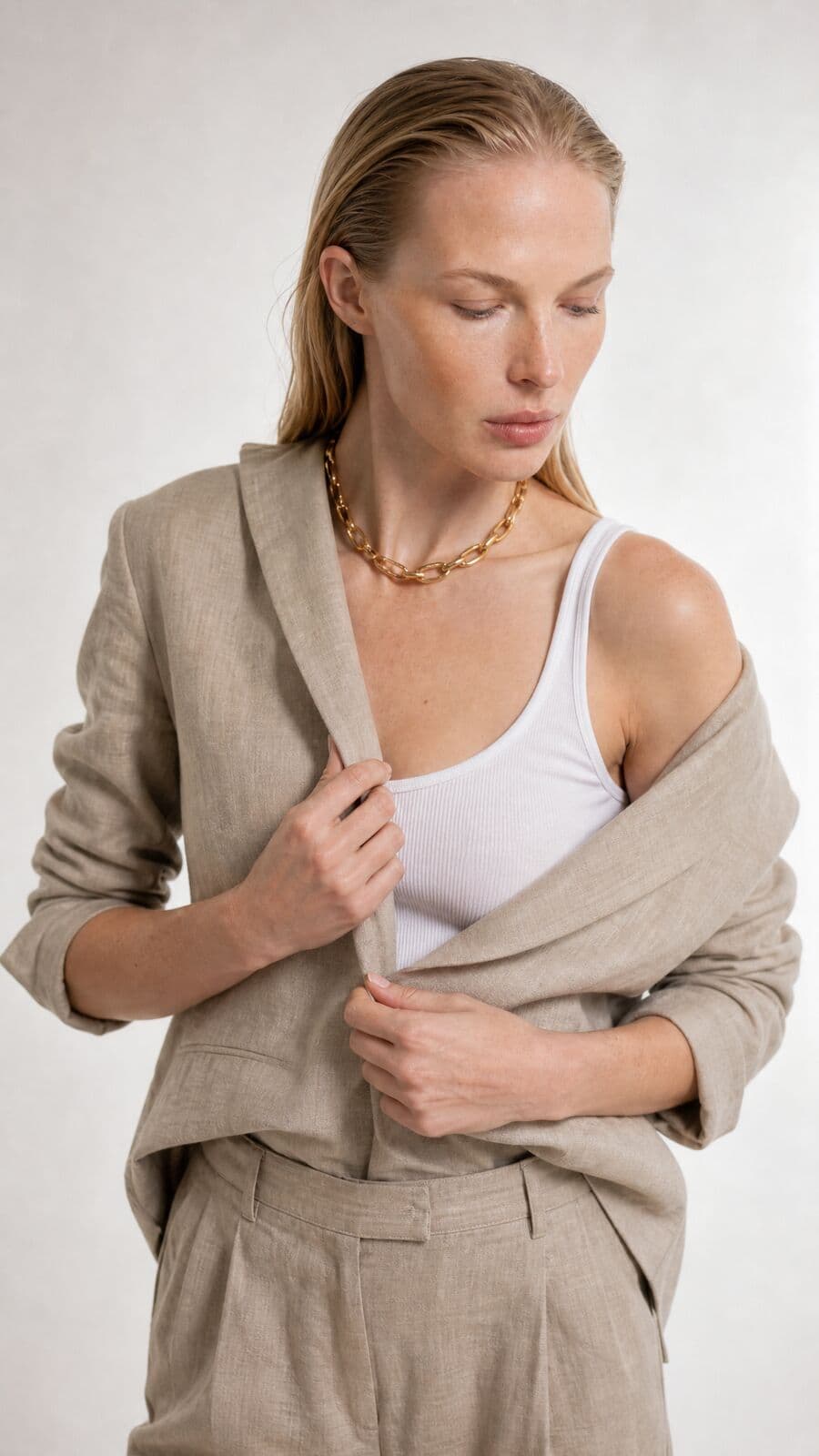
A campaign is not finished when the frames are generated. Twelve pictures made on different days rarely share a grade. Skin wants evening out without going smooth. The blazer reads a shade warmer than the one in the warehouse. The backdrop has a seam in it.
The usual answer is a round trip: download the set, open it in a grading tool, then a retouching tool, export, upload again. Each step loses the link between the picture and the product it shows.
The Post room removes the trip. It opens pictures straight from the Library, or a shoot dropped in from disk, and puts grading, retouching and finishing in one place. Because it sits inside Misu, it also knows your products, which is what makes the colour match possible.
02
What the room does
Six panels, one dock. Each works on the open picture, and most work on a whole selection.
Looks
63 film looks under Misu's own names, each with five print stages, grouped as colour negative, cinema, slide, black and white, instant and historic. Strength and push or pull are sliders.
Adjust
Light and colour by hand: exposure, contrast, highlights, shadows, fade, saturation, temperature and tint.
Film
Twelve measured grain profiles across four film formats and three speeds, halation and bloom around the highlights, and a paper stage in matte, neutral or glossy.
Retouch
Three skin tools that work only inside the skin the picture's mask finds: Even, Smooth colour and Texture. Pores stay. Lips, eyes and brows keep their contrast.
Colour match
Pick the product in the picture and the garment takes its real colour, measured from your product photo. Folds, shading and fabric texture stay.
Finish
Three passes for what sliders cannot reach: smooth garment wrinkles, remove flyaway hairs, clean the backdrop. Only the garment, hair edge or backdrop is taken from the result.
03
How a campaign moves through Post
The room is a board of pictures. One is open at a time; all of them can be edited together.
01
Open the set
Add pictures from the Library, drop a shoot from disk, or use Open in Post on a result elsewhere in the Studio. They land on the board as tiles.
02
Grade one frame
Open a picture, choose a look, set its strength and print stage, then correct light and colour in Adjust. Compare wipes between the edit and the original.
03
Sync it across the board
Select the other frames and turn on Sync, or hold Alt. Each change goes to every selected picture, and only the setting you touched is copied.
04
Retouch and finish the frames that need it
Skin tools, colour match and the finishing passes are per picture. Each one measures its own skin, garment and backdrop.
05
Save or download
Save the selection to the Library, or download it as a zip of full-size JPEGs. A single picture also downloads as a PNG.
04
Retouching that leaves the skin alone
Cheap retouching blurs. The room does the opposite. It separates the picture into tone and texture, evens the tone, and puts the texture back untouched. Even works on light and dark blotches, the way a retoucher dodges and burns. Smooth colour evens redness and colour patches. Texture controls the fine detail itself, and can raise it as well as lower it.
All three stop at the edge of the skin. The mask is found in your browser, and the picture does not leave it for that step. Large differences in tone are treated as features and protected, so a lip line or a brow is not flattened into the cheek.
The room does not reshape faces or bodies. It has no slimming tool and no generated make-up. It finishes the picture that was made.
05
The garment in its real colour
Light changes cloth. A sand blazer photographed at dusk is not the sand on the product page, and a customer notices when the parcel arrives.
Colour match reads the garment's colour from the product photo you already uploaded, ignoring the background and the highlights. It reads the garment in the picture the same way, then shifts one to the other inside the clothes mask. Brightness follows the scene by default, so only hue and saturation move. An Amount slider sets how far, and a switch matches brightness too when the brief asks for it.
06
A round trip, or one room
The same finishing work, done across separate tools and done in Post.
- Getting the pictures in
- Separate toolsDownload the set, import it elsewhere
- The Post roomOpen from the Library or drop a shoot on the board
- One grade across the set
- Separate toolsCopy settings file by file, or build a preset first
- The Post roomSelect the frames and sync; only the touched setting is copied
- Product colour
- Separate toolsSample a swatch by eye
- The Post roomMeasured from the product photo in your catalogue
- Reusing the finish
- Separate toolsA preset in one person's install
- The Post roomA recipe saved to the brand, with export and import as a file
- Getting the pictures out
- Separate toolsExport, then upload again
- The Post roomSave to the Library, or a zip of full-size JPEGs
| Criteria | Separate tools | The Post room |
|---|---|---|
| Getting the pictures in | Download the set, import it elsewhere | Open from the Library or drop a shoot on the board |
| One grade across the set | Copy settings file by file, or build a preset first | Select the frames and sync; only the touched setting is copied |
| Product colour | Sample a swatch by eye | Measured from the product photo in your catalogue |
| Reusing the finish | A preset in one person's install | A recipe saved to the brand, with export and import as a file |
| Getting the pictures out | Export, then upload again | Save to the Library, or a zip of full-size JPEGs |
07
Clips, and what the room does not do yet
A video clip opened in Post plays through the same engine. It takes the look, light and colour, grain, halation and paper, and the grain moves from frame to frame as film grain does. The clip is rendered in your browser and exported as an MP4 with its original sound. Clips up to 120 seconds and up to 4K can be exported.
Retouch, colour match and the finishing passes work on stills only. The finishing passes return their copy at a lower resolution than a large original. That suits creases, and is softer on fine hair and backdrop detail in big files, which is why each pass has its own switch and can be run again.
08
Questions people ask
What is the Post room?
It is the post-production room in Misu's Studio. It holds film looks, light and colour controls, grain, halation and paper, skin retouching, product colour match and three finishing passes, on a board that takes a whole shoot.
What does post-production cost in tokens?
Grading, film effects, retouching and colour match on a still are rendered in your browser and are not charged, and neither is saving or downloading a picture. Each finishing pass (wrinkles, flyaway hairs, backdrop) is about 84 tokens, roughly €0.42, and the price is on the button before you run it. Exporting a clip costs 1 token per second of output.
Can I finish photographs that were not made in Misu?
Yes. The board takes pictures dropped from disk, several at once, as well as pictures from your Library.
Can I grade a whole campaign at once?
Yes. Select the frames on the board and turn on Sync, or hold Alt. Every change is applied to all selected pictures. You can also save a finish as a recipe and apply it to a selection in one click.
Does retouching smooth the skin?
Not by blurring. Even and Smooth colour work on tone and colour blotches and leave fine texture in place. Texture is its own slider, kept at 100 by default.
Does the wrinkle pass remove every crease?
No promise is made. The pass exists and keeps the fabric's own texture and colour, taking only the crease-scale change from the result. How much it smooths depends on the garment. If you do not like the result, switch the layer off or run it again; each run is charged.
Does it work on video?
Looks, light and colour, grain, halation and paper work on clips up to 120 seconds and up to 4K. Retouch, colour match and the finishing passes are for stills.
Where do the finished pictures go?
To your Library, filed with the edit that made them and linked to the picture they came from. Or to disk: a PNG for one picture, a zip of full-size JPEGs for a selection.
Get started
Your product.
The same face in every shot.
Full commercial rights · Licensed models · Stockholm
Misu is in beta and open to brands, agencies, freelancers and designers. We review every request and email your invite once it's approved, and every new studio starts with welcome credits.
BETA · REVIEWED BY HAND · FOUNDING PRICING LOCKED